Fix Serena Plugin Issues in Claude-Code
The serena plugin and built-in mcp misses two important args which prevent the plugin operating correctly out of the box. We can address both issues with a simple config change in the

The serena plugin and built-in mcp misses two important args which prevent the plugin operating correctly out of the box. We can address both issues with a simple config change in the

Wasn’t entirely obvious how to go about this, but the scenario was that rich text content needed to be both expanded to convert links in the style ~/links.aspx?id=123456 into proper paths AND also include the server hostname rather than just root relative links.

After months or even years of working fairly flawlessly, my Cisco AnyConnect Mobility VPN client started to quit on startup. No message is shown, it just disappears. Somewhere there is some log file, but it doesn’t give too much away. Eventually I worked out that this issue relates to having Fiddler debugging proxy installed.
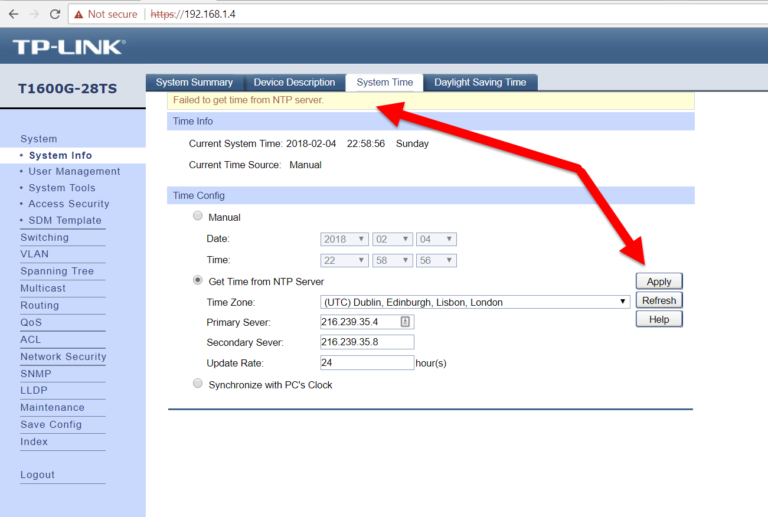
Trying to simply set the clock automatically on this ‘smart managed’ network switch turned into a bit of a challenge. Whenever a time sync is attempted from the NTP server it would fail. The T2600G-28TS switch simply doesn’t have a ‘default gateway’ setting but you can add a static route instead. I took a punt with…

How to disable optimizations when debugging third-party dlls with Reflector Pro
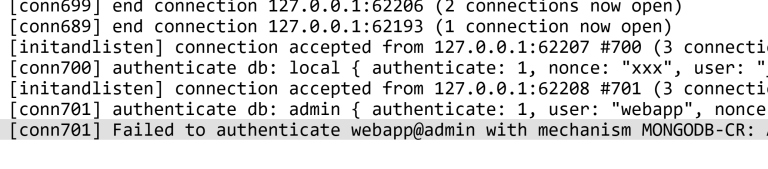
I setup a Mongo arbiter instance alongside two full instances for use with Sitecore 8 xDB database. Shortly afterwards I noticed the arbiter log was full of authentication failures. This isn’t a big huge problem, but it fills up the arbiter log and may cause concern wondering if there’s an underlying configuration problem.
Way back in June 2012 I wrote about how you could set QoS (Quality of Service) DSCP values on Crashplan traffic on Windows, not by using the ineffective settings within Crashplan, but by using the group policy tool to tag traffic coming from the CrashplanService.exe process itself. In other words, I never found a way…
Sitecore uses the extensive log4net logging framework to handle the large volume of logging entries it generates. Sometimes vague log entries can leave you scratching around trying to find where they originated from. This post explores some simple steps to add useful detail to, and real-time viewing of, the Sitecore log.
Using the new Sitecore contentsearch api allows you search against a lucene index with very little effort. Examples are a bit short on the ground but using Linq you can find yourself doing something like this to search for an item by name, somewhere within a folder structure: public void BadSearch(string searchTerm) { var webIndex…
This XmlException can occur within a Sitecore site where a general link field contains just plain text, for example a template flipped from link field to text field or just editing in raw. Clear the field and re-populate with a valid target.